Building a website from scratch can be very rewarding. But learning how to do it can seem daunting at first. You need to know HTML, CSS and JavaScript. You also need some knowledge of interface design to make your site easy to navigate.
Many people assume learning these skills means reading lots of code, watching technical YouTube tutorials or taking a course on each subject. All of these methods work, but many people, including me, find them hard to stick with, because they lack hands-on practice.
That led me to suggest a different way of learning that makes it more interactive: "gamifying" the subject. Playing games to practise subjects such as design and programming can help things stick. It can also make you better prepared when you apply your knowledge to real-world scenarios. That is why I explored five games that can help you build the skills needed to make a website.
One of the first things you need to learn to build a website is HTML, which stands for "HyperText Markup Language". It shapes how text, images and other media are laid out digitally. HTML is usually best presented with the help of CSS and JavaScript, which I cover later in this article.
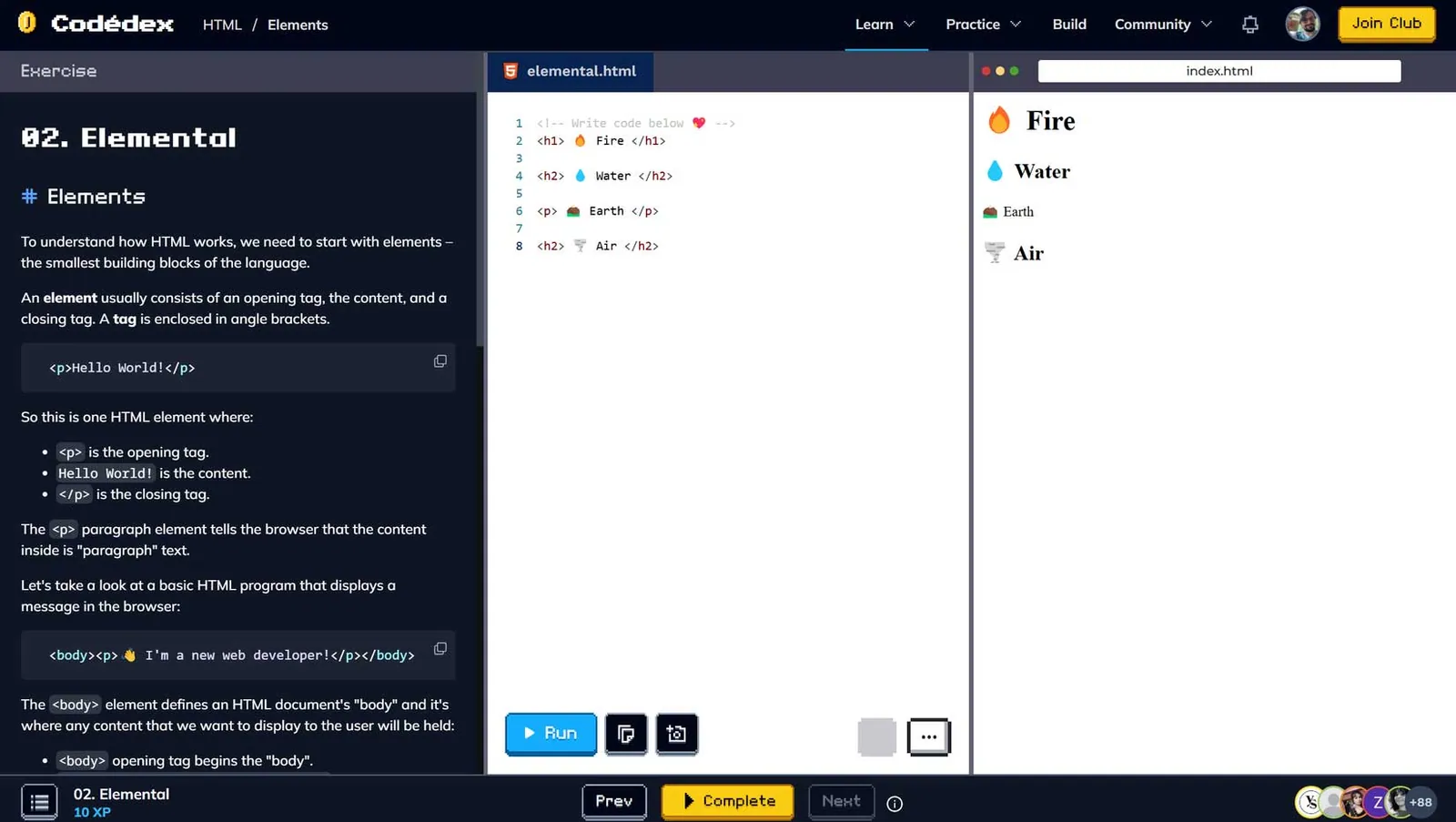
Although Codédex covers many languages, it is one of the few resources that teaches HTML as a game. You play a series of games called "quests" to earn EXP. Quests ask you to write code in a script in the middle of the screen, with a short explanation of the exercise's concept on the left. On the right is a terminal that shows the quest's result, the output of the code you have written. With every quest you complete, you earn more EXP, which unlocks more advanced quests covering more complex HTML concepts.
I like the layout because the three elements, "explanation", "script" and "output", are all on the same screen. I also like the relaxed approach to learning, because you earn EXP at your own pace without any "penalty" for your character when you get the code wrong. That forgiving nature makes Codédex feel "cosy", because you can take your time learning.
"Design" is one of the most important things to consider when building a website. Every popular website has its own unique look. On Google, for example, information is easy to find thanks to the simple text layout of the results, with headings larger than each entry's description. How you design what users see matters most when you want them to stay on your site.
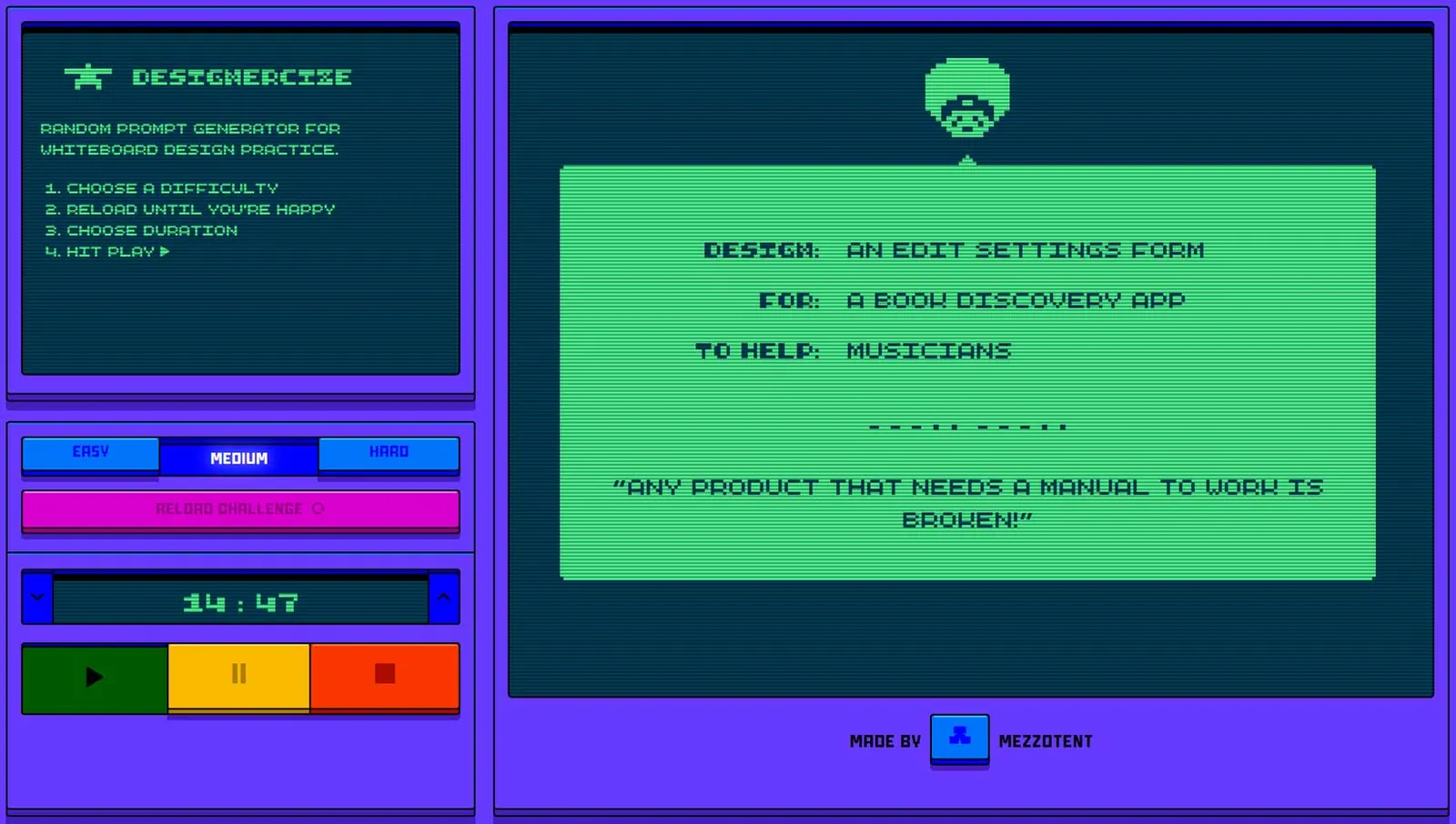
Designercize isn't an online game you interact with like the others on this list; instead, it is designed as a template for creating practical games or exercises. It generates challenges with specifications such as difficulty and time, prompting you to design a web page on a given topic to help a particular audience. The "design", "for" and "to help" entries are all random, which makes it hard to predict what you will get next.
Designercize's simple design works in many situations. You can use it to practise your own skills, challenge friends or even set tasks for job candidates. Its open-ended nature means I highly recommend it for beginners and experts in website design alike.
User interface (UI) design is complicated, though it looks simple. UI is the design of how users interact with an application: where to click, what to look at, how things move and many more action-based questions. In my view, it is the hardest thing to learn in web development, because users can be unpredictable.
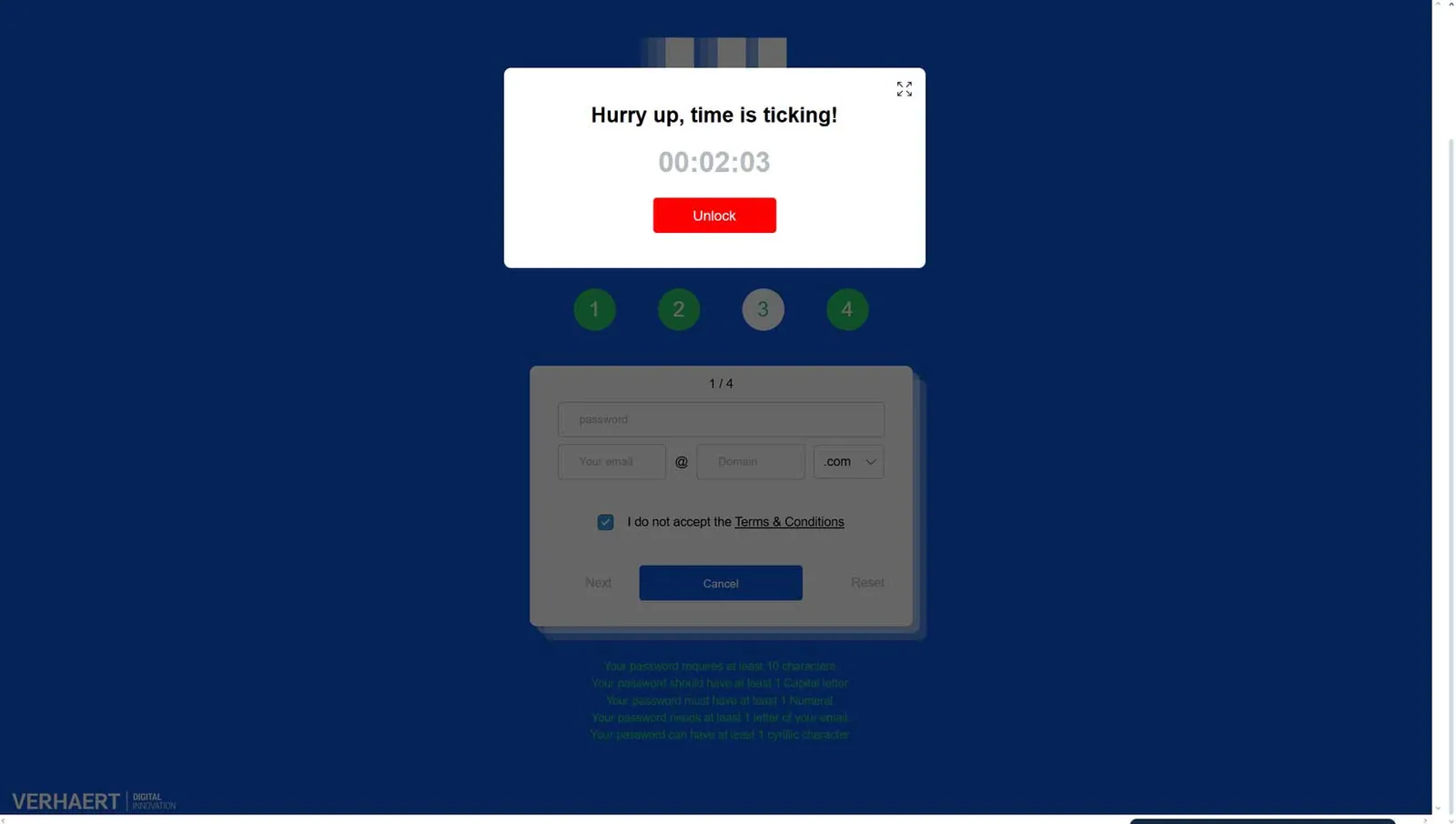
Despite that unpredictability, there are things you should avoid in UI design because they frustrate users. Many examples appear in the game User Inyerface. This digital experiment looks broken at first, but as you navigate it you discover that its "bugs" are by design. Clickable buttons that do nothing, random pop-ups that distract you from your task and drop-down menus with poor navigation are just a few of the challenges it throws at you.
Although the site annoyed me, I strongly recommend trying it at least once to understand what not to do when developing your site's UI. The things you struggle with in this game are worth remembering when you add similar features to your own website. Through frustration, User Inyerface teaches you why a functional UI makes a website more pleasant for users.
Back to programming languages used in web development: let's talk about JavaScript (JS). JS is used to create dynamic behaviour on websites, such as moving text and video. Because of its complicated syntax and the amount you need to know without looking things up, it is considered the hardest of the three web development languages to learn.
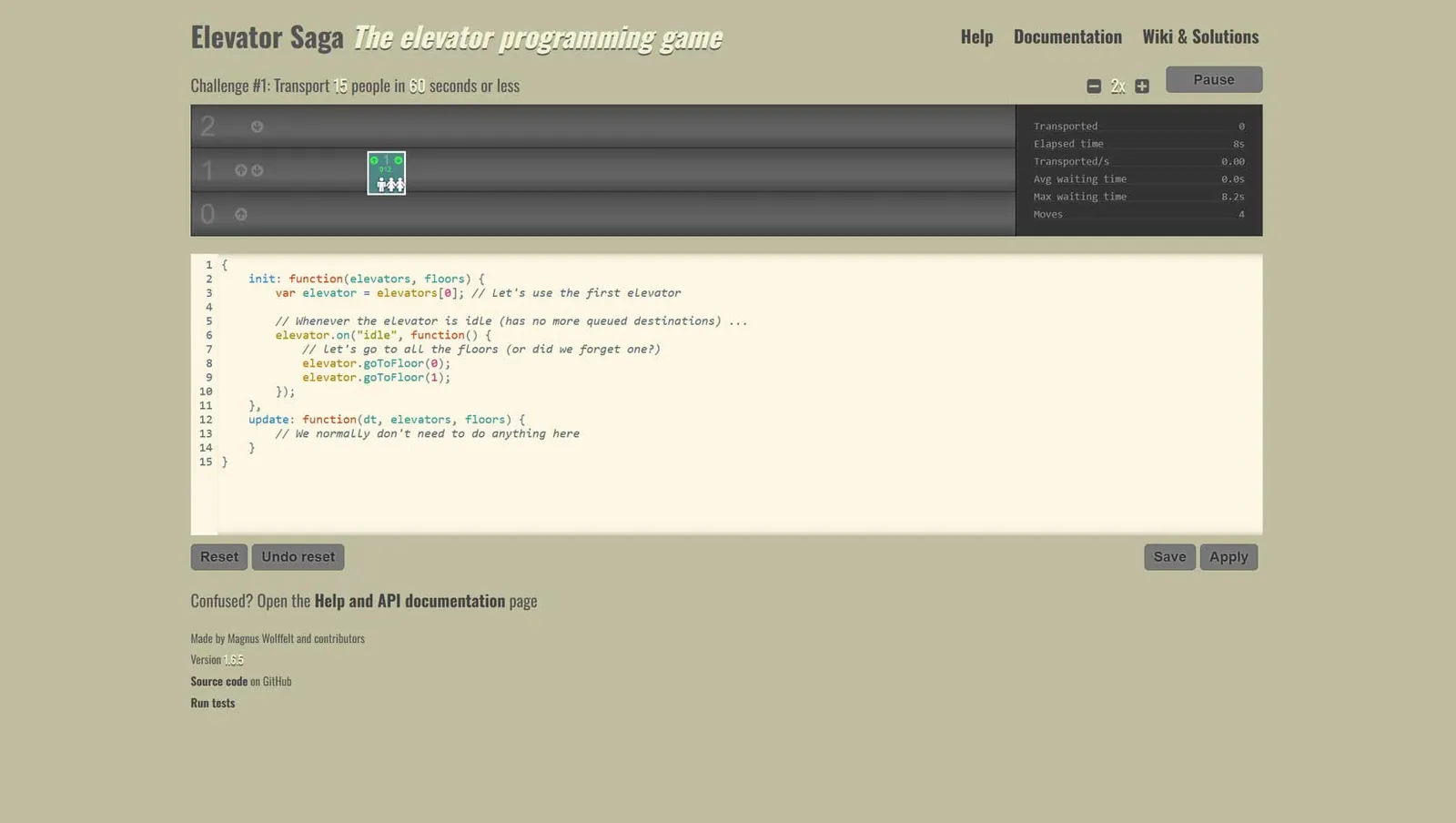
The challenge of "gamifying" this hard-to-learn language was taken on by the developers of Elevator Saga. Their game asks you to solve problems that follow a common structure, "Transport X people in X seconds or less", in a visual elevator simulation. The only way to solve them is by writing JS. You do need some knowledge of syntax to play. But don't worry: the game provides the program's base code and an API with useful commands to consider.
What I like most about Elevator Saga is the community that has grown around it. In the game's forum, other users share their solutions and try to find the most efficient way to complete their commands. I enjoyed seeing what others had discovered in the game even more than programming my own solutions.
To close this article, I want to cover CSS, which stands for "Cascading Style Sheets". CSS is used to style how HTML looks on a web page. It lets you make pages look cleaner and customise how text appears. CSS is easy to learn and is considered a cornerstone of the World Wide Web.
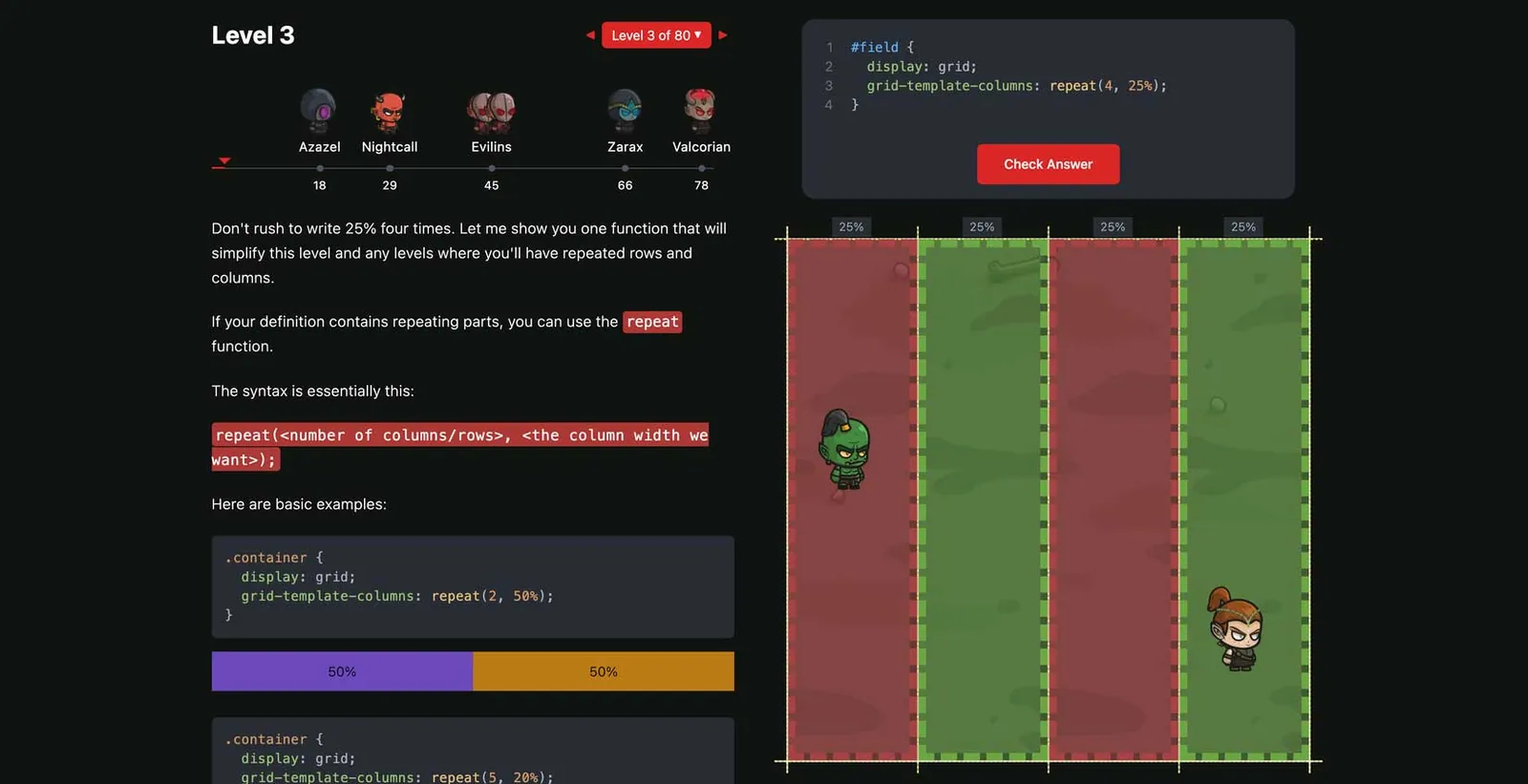
To help learn CSS, I highly recommend some adventure games from Coding Fantasy. In their role-playing games (RPGs), you write CSS to move your party across tiles and attack enemies. In Flex Box Adventure, you play King Arthur fighting three evil brothers. In their other CSS game, Grid Attack, you go on a noble journey to save the world.
Both games require you to use "the power of CSS Grid" to defeat enemies and complete missions.
These charming adventure games are a fun way to learn CSS through the RPG genre. The easy-going approach is aimed at a younger student audience, but I am sure Coding Fantasy can still be enjoyed by older people who want to learn website development in a nostalgic way.